What is IPTV in Canada, and how does it differ from the television service you already use? IPTV stands for Internet Protocol Television: television delivered using IP networks. The term describes a delivery method. It does not identify a particular company, app, channel package or level of picture quality.
Quick answer
To watch an IP-delivered TV service, you need access to its content, a supported device or receiver, and a suitable network connection. A player opens a stream; a subscription determines what you can watch. Buying one does not automatically include the other.
What does IPTV mean in everyday use?
There are two contexts worth separating. Telecom services may deliver television through an operator-managed IP network. People also use “IPTV” more broadly for live television watched through an app over a regular internet connection. Those services can have very different equipment requirements, network arrangements and support policies.
A cable company can use IP technology, and a traditional TV subscription can include a streaming app. Treat IPTV and cable as descriptions that sometimes overlap. For a household buying decision, compare the actual package and viewing experience. Our IPTV versus cable comparison explains the questions to ask.
The ITU’s IPTV terminology recommendation provides the technical background. In this guide, “app-based IPTV” means TV delivered to a compatible application over your internet connection.
How does a stream reach your screen?
When you choose a channel, the application requests its stream from the service. The video travels over the network, is decoded by your device and appears on your television or mobile screen. Playback normally keeps some data ready in a buffer so small variations in delivery do not immediately interrupt the picture.
Different services use different delivery formats. One common example is HTTP Live Streaming, or HLS. Apple’s HLS overview describes live and on-demand delivery over ordinary web infrastructure, including adaptation to available network speed. HLS is one technology a service may use; an IPTV label does not guarantee HLS or a particular resolution.
This explains why a fast internet package alone does not settle every playback issue. The service’s stream, the route to your home, local Wi-Fi and your device all contribute. If a working setup begins pausing, use the buffering troubleshooting guide to isolate the affected part.
What do you need to watch IPTV in Canada?
| Part of the setup | Its job | What to verify |
|---|---|---|
| TV service or subscription | Provides access to authorised programming | Channel package, region, terms and supported devices |
| Player app or supplied receiver | Opens and controls playback | Compatibility with your service and device |
| Home network and internet | Delivers the stream to the screen | Stable connection and sufficient data allowance |
| TV, box, phone or computer | Decodes and displays the picture | Supported system, video format and resolution |
The subscription, player and hardware are separate parts of the viewing setup.
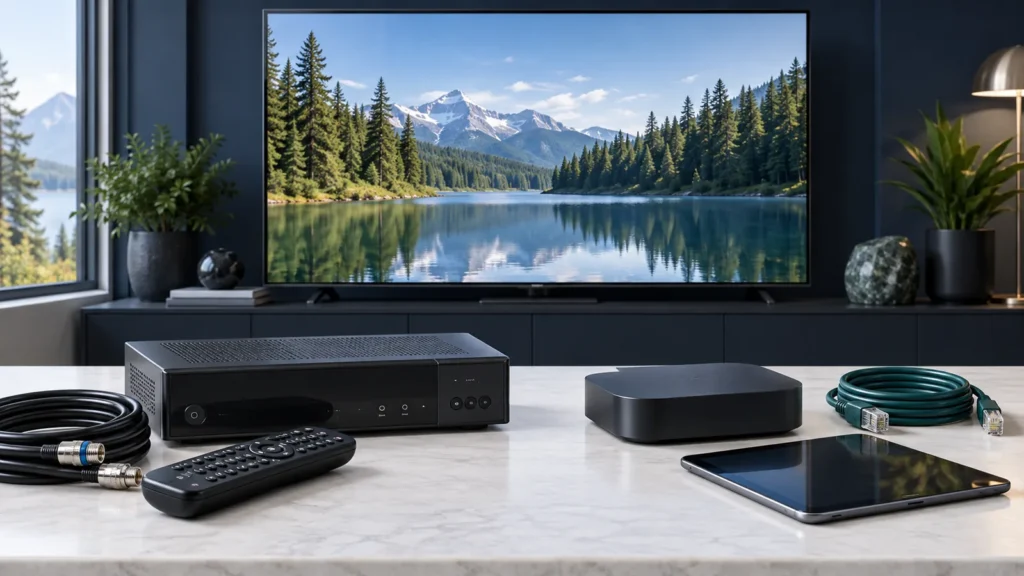
Start with the equipment you own. A supported smart TV app may be enough. Another service may require its own receiver or an external streaming device. Check the exact model and operating system, since two televisions from the same brand can support different applications. The installation guide links to device-specific instructions.
Confirm the login method before purchasing an app. Some services require their official application and account login. Others supply an M3U playlist URL or separate server, username and password fields. Our M3U and Xtream Codes guide covers these formats. A channel list inside an app is not evidence that the app itself supplies those channels.
Keep login details private, especially playlist links that include account credentials. Use the provider’s official instructions and supported app source. Choose a service that can explain its programming authorisation and written subscription terms; a player’s availability in an app store does not establish the rights of an unrelated content provider.
Live TV, EPG, catch-up and on-demand are different features
- Live TV: a channel follows a broadcast schedule.
- Electronic programme guide (EPG): schedule information helps you find current and upcoming programmes.
- Catch-up or restart: supported programmes can be watched from an earlier point or after broadcast.
- Video on demand: you choose a title from an available catalogue.
- Recording: a supported service or device saves a programme for later viewing.
Availability depends on the plan, programme and application. An EPG can show yesterday’s schedule without offering yesterday’s video. An app can display a record button while recording remains unsupported by the service. Read catch-up TV versus recording before choosing a plan for watching later.
Canadian viewers should also check the regional feed, audio language, captions and time-zone behaviour they need. Ask whether a programme is available on the living-room receiver, a mobile app and outside the home, since those entitlements may differ. Test actual programmes rather than judging a service by its advertised channel count.
Your first setup checklist
- Write down the channels, languages and accessibility features your household uses.
- Confirm the service supports your exact TV, streaming box or mobile device.
- Check whether the player costs extra and which account or playlist format it accepts.
- Count how many people may watch at the same time, then verify the simultaneous-stream limit.
- Test the connection at the television and check your monthly data allowance.
- Follow the supported installation steps and test picture, sound, captions and guide times.
- Keep the order details and support contact so activation or billing questions can be resolved.
For internet planning, separate speed from volume. Speed measures how quickly data can arrive; a data allowance measures how much you may use during a billing period. Use our internet-speed guide for connection capacity and our IPTV data-usage guide for monthly estimates.
Frequently asked questions
Do I need a new television?
Only if your existing equipment cannot run a supported setup. A compatible external receiver or streaming device may work with your current television. Check the service’s hardware requirements first.
Does an IPTV player include a subscription?
Do not assume it does. Player licences and content subscriptions can be sold separately. Read the app description and the service’s purchase details before paying.
Can I watch without an internet connection?
App-based live streaming needs a working connection. A service may offer supported offline downloads, but that is a separate feature with its own device and expiry limits.
Does IPTV automatically mean 4K?
No. The programme source, package, application, device, display and connection must all support the offered quality. A 4K-capable box cannot turn a lower-resolution source into a native 4K broadcast.
Choose the next guide for your setup
Use the provider-selection checklist to compare an offer, then follow the installation instructions for your screen. You can also browse all IPTV Canada guides or contact IPTVIY support with your device model and setup question.