IPTV on Smart TV can be set up without an extra receiver when the television has a compatible player in its app store. Canadian Samsung, LG, Android TV and Google TV models use different operating systems, so the correct installation path starts with identifying the platform and checking the exact app listing.
Quick answer
For IPTV on Smart TV, connect the television to stable internet, open its official app store, install a compatible IPTV player, and enter the M3U or Xtream Codes details supplied with your subscription. App availability varies by model, year and Canadian store region, so confirm compatibility before purchasing a long plan.
Check your TV before setting up IPTV on Smart TV
Open the television information screen and note the brand, model year and operating system. Samsung commonly uses Tizen, LG uses webOS, and many Sony, TCL and Hisense models use Android TV or Google TV. The operating system—not only the logo on the frame—determines which player you can install.
Also check free storage, system updates and whether the TV is signed in to its app-store account. A current software version and correct Canada service region prevent many missing-app and installation errors.
- Write down the exact model number.
- Connect by Ethernet when practical.
- Keep your subscription server URL, username and password private.
Install IPTV on Samsung Smart TV
From the Samsung Home screen, open Apps and search for a compatible IPTV player. Select the app, choose Install, then open it from the Home row. Samsung notes that menus and availability can vary by model, software version and region.
If the desired player is missing, update the television software and confirm the Samsung account and regional settings. Avoid downloading files intended for Android because Tizen televisions do not install ordinary Android APK packages.
Install IPTV on LG Smart TV
On a current LG television, press Home, open Apps or LG Content Store, search for a compatible IPTV player and select Install. LG advises checking the network, user agreements, available storage and LG Services Country when an app cannot be found.
Older webOS versions may present the store differently and may support fewer current apps. If IPTV on Smart TV feels slow on an older LG model, an external Fire TV, Google TV or Apple TV device can provide a newer player environment.
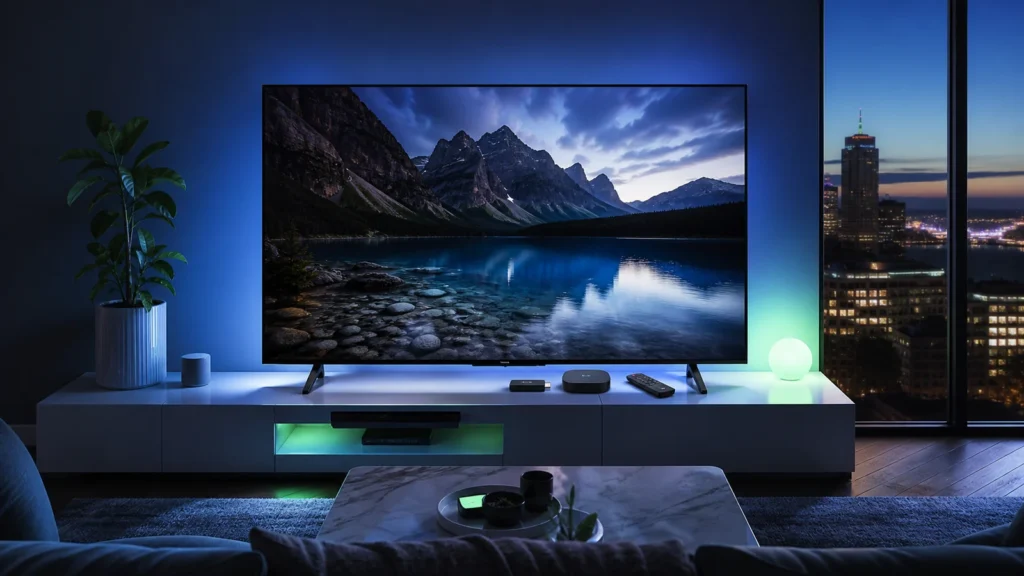
Use IPTV on Android TV or Google TV
Open the Apps tab or Google Play Store, search for a compatible player and choose Install. Google TV also lets you search by voice or text. Install only the player from the store listing you intentionally selected.
After installation, move the player into the first row for easier access. Android-based televisions usually offer more player choices than Tizen or webOS, but low-cost models can still have limited storage and memory.
Enter your IPTV on Smart TV login safely
Choose the login method that matches the welcome message. Xtream Codes normally uses a server URL, username and password in separate fields. M3U uses a complete playlist address. Copy every character carefully and do not replace the supplied server address with the public website URL.
Name the playlist by room rather than publishing account information. Do not include credentials in screenshots or public support posts. If the player asks for an EPG address, use only the guide information supplied for the subscription.
Fix common Smart TV setup problems
If the playlist does not load, confirm the television date and time, restart the TV and router, and enter the details again without extra spaces. Test more than one channel before changing advanced player settings.
When the player freezes, remove unused apps, clear its cache when the platform allows it, and compare Ethernet with Wi-Fi. Our guide to fix IPTV buffering provides a controlled troubleshooting sequence.
Practical checklist
- Confirm the television operating system and app availability.
- Use the official television app store first.
- Test the subscription during your busiest viewing time.
- Keep enough free storage for guide data and updates.
- Use the full installation guide for other devices.
Frequently asked questions
Can every Smart TV install an IPTV player?
No. Player availability depends on the television operating system, model year and app-store region.
Is an external streaming box better than a TV app?
It can be better when the television is older, slow or missing the preferred player. A current TV app keeps the setup simpler.
Should I use M3U or Xtream Codes on a Smart TV?
Use the format supported by the player and supplied with your subscription. Xtream Codes is often easier to enter with a remote.
Why is an app missing from my Canadian TV store?
The model, software version, account region or service-country setting may limit availability. Check those items with the television manufacturer.
Ready for the next step?
Test IPTV on Smart TV with your actual television, home network and preferred channels before selecting a longer subscription.
nn
n